DOCUMENTATION
Exclusions
Exclusions
Overview
There are situations where a segment represents a group of customers that you want to exclude from marketing. For example, inactive subscribers who haven't opened or clicked in a few months, recent purchasers who shouldn't receive broadcast emails right away, or new subscribers who are currently in your welcome series.
In Rejoiner, this is accomplished by building two segments.
The first identifies the customers you don't want to send to.
The second is a "master" segment that pulls in your entire audience and omits the customers in your exclusion segment. You'll end up sending broadcasts to the master segment, which represents your audience minus exclusions and will be updated daily.
Here's an example where a merchant wants to exclude recent purchasers and recent subscribers from their regular broadcast promotions:
Example
- 1First, we'll set a filter to find recent purchasers using the **Customer's last purchase was** filter. In the segment builder, click **Customer Properties**, then scroll down or search for the **Customer's last purchase was** filter.
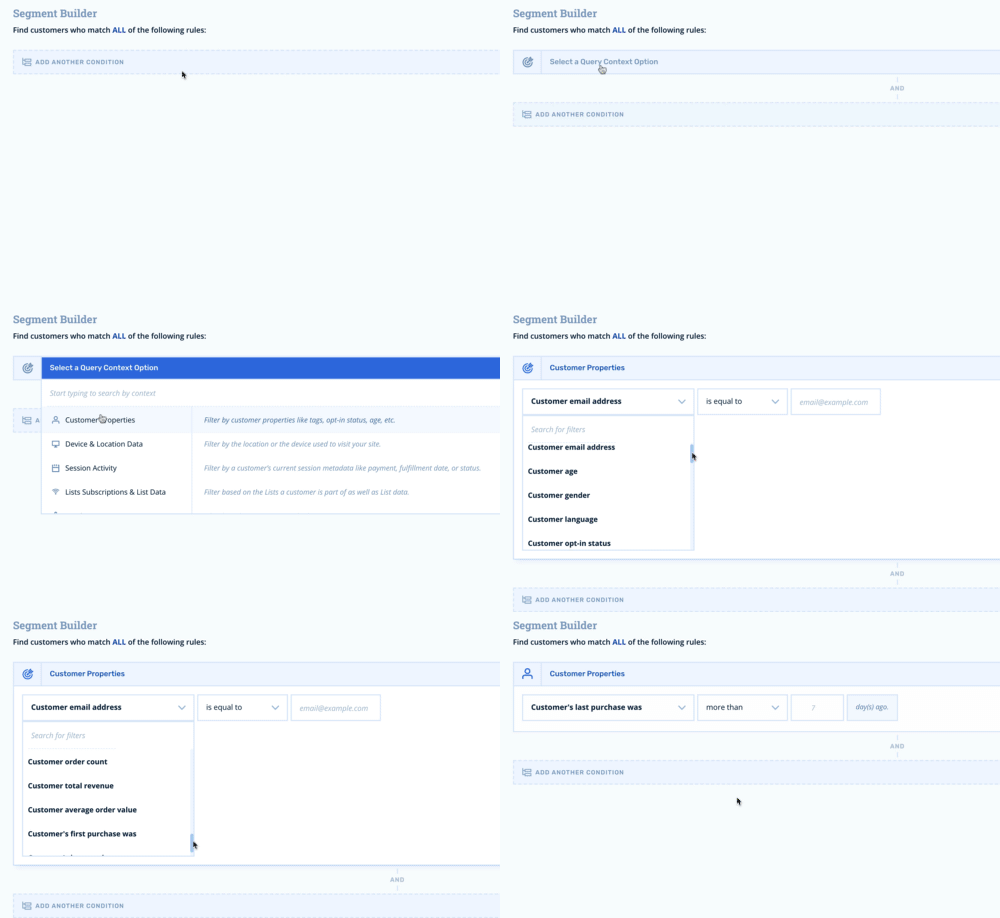
- 2Set the filter to find customers who have purchased within 14 days.

- 3Next, we'll set a filter to find any customers who are currently in our new subscriber journey. First, add a new filter by clicking **Add Another Condition**. Then, find **Journey Activity** in the dropdown. Next, scroll down or search for the **Is currently in journey** filter.
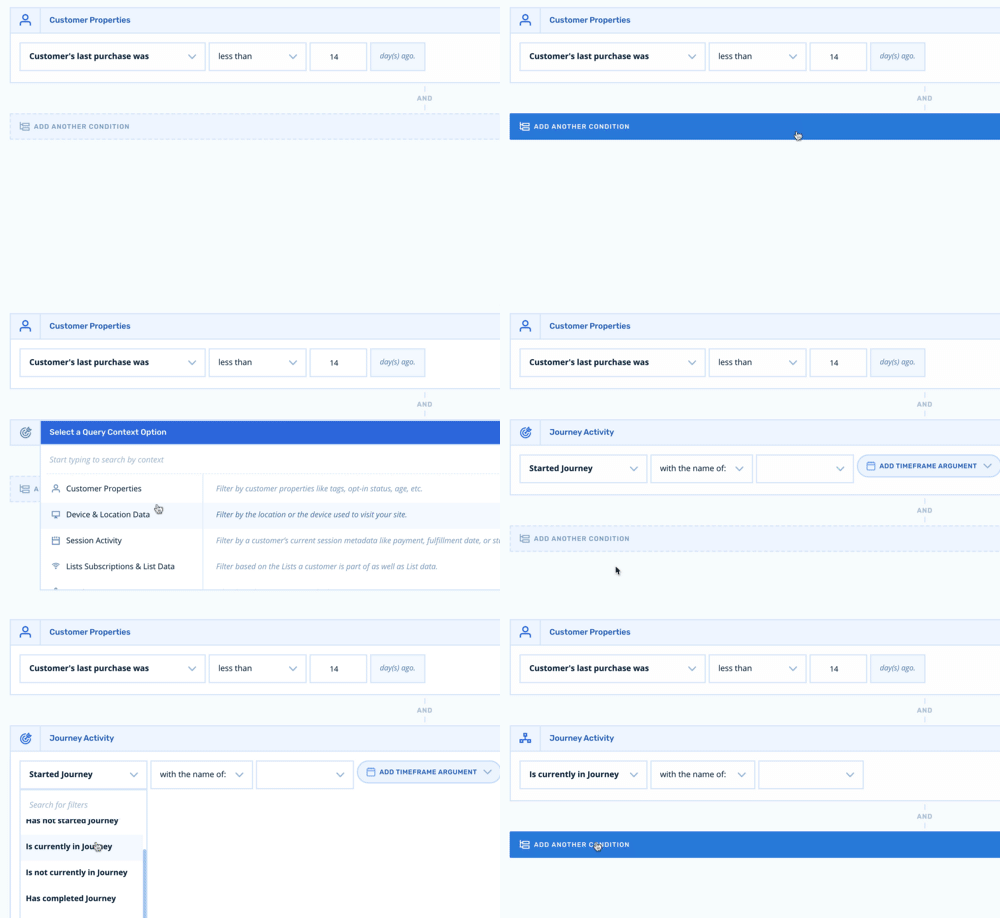
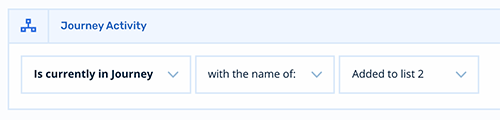
- 4Using the dropdown, set the journey name so that it corresponds to your new subscriber welcome journey.
-
- 5In the upper right, click **Save your changes** and the segment will find all of the customers that match your exclusion criteria.
It may take a few minutes for the exclusion segment build. It is best to wait for the exclusion segment to populate before moving onto Step 6. You'll receive an email notification when the segment has finished building.
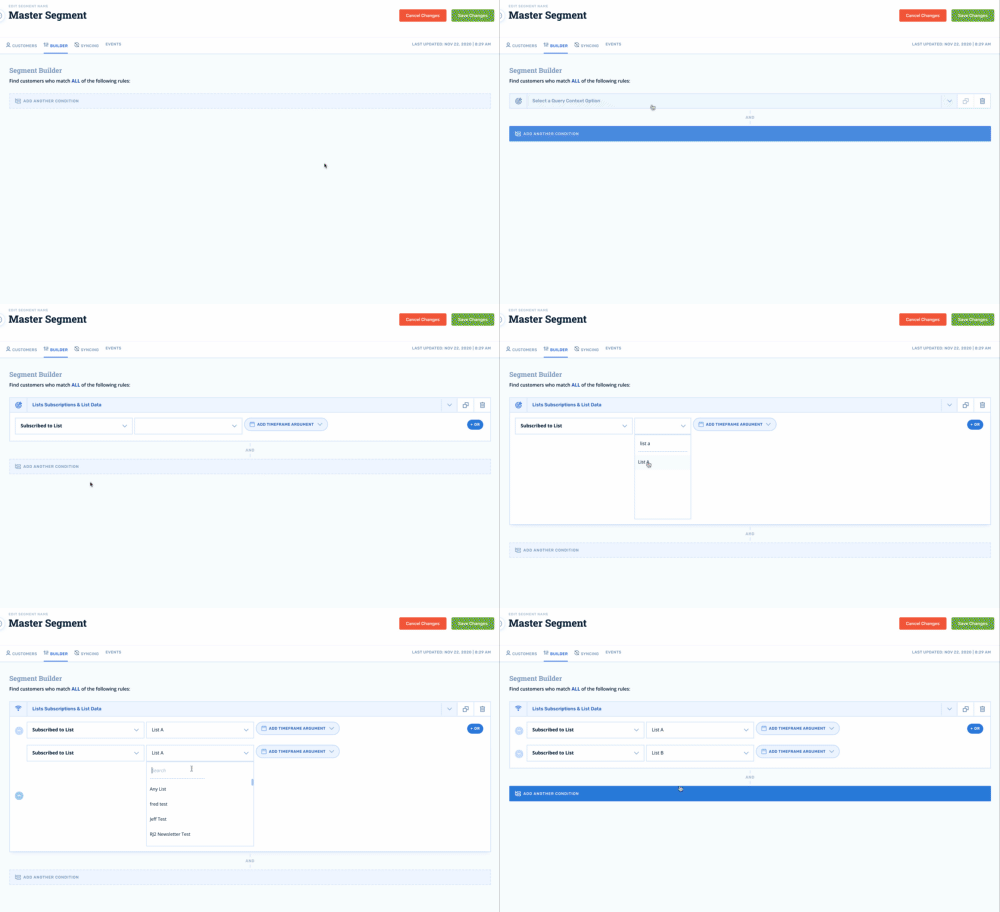
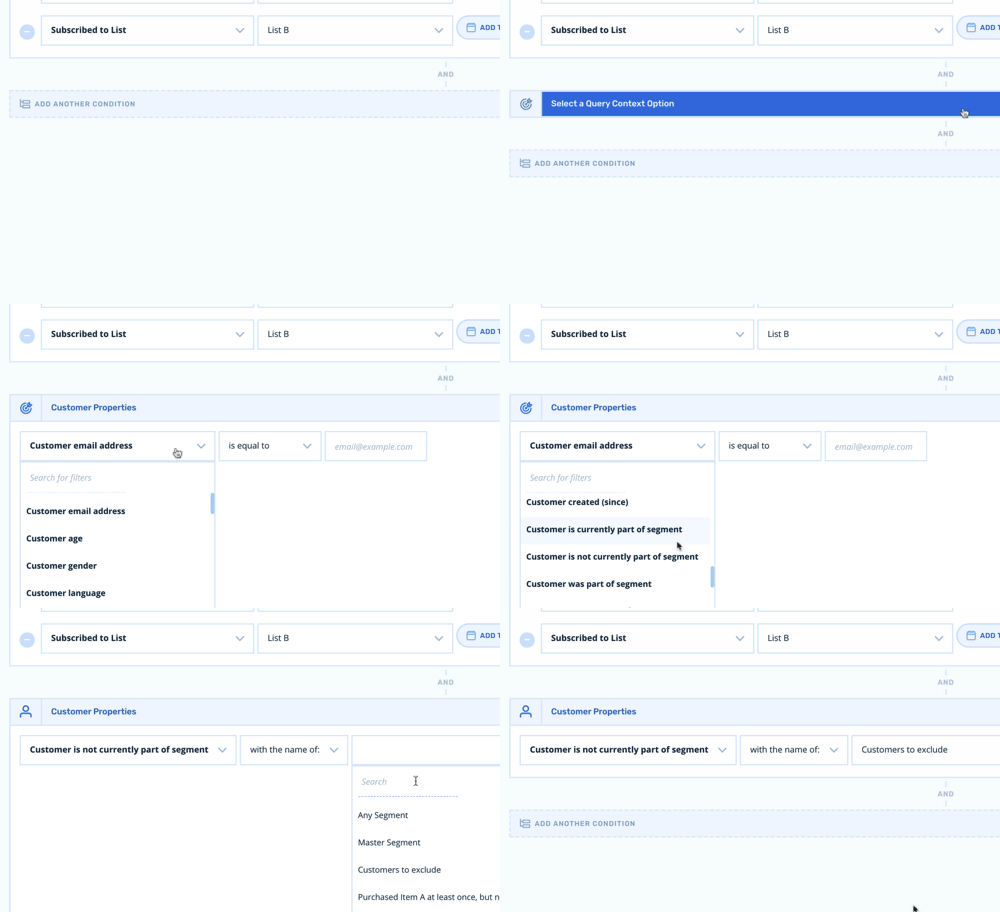
- 6The final step in the process is to create a master segment with the exclusion segment omitted. For this example, let's assume that our primary audience exists on two lists called **List A** and **List B**.
- 7First, add a filter using **List Subscriptions & List Data** context, then scroll down or search for the **Susbcribed to list** filter. Select your list or combine multiple lists using the OR operator.
-
- 8Next, add the exclusion filter using the **Customer Properties** context. Then, scroll down or search for the **Customer is not currently part of segment** filter. Last, select your exclusion segment in the dropdown.
-
Segments update every 24 hours, so this approach ensures that you'll always have an up to date representation of your exclusion segment and your master segment.